
What Is an OBD2 Port? A Simple Guide for Drivers
-
01
An OBD-II port is a 16-pin plug under your dash, wired to your car's computer.
-
02
The port reads check engine codes, streams live data and supplies power.
-
03
Every US gas car and light truck since 1996 has one, and diesels since 1997.
-
04
You'll find the port under the dash on the driver's side, close to your knees.
-
05
Devices that sleep when the car is parked are safe to leave plugged in.
As an Amazon Associate, Konnect GPS earns from qualifying purchases.
What Is An OBD2 Port And What Does It Do?
You typed "what is an OBD2 port?" into Google and the answers sound like mechanic-speak, especially when you start hearing about pins, codes, protocols, and your car's computer. Don't worry. You don't need to be a tech expert to understand what this little port does.
I've spent 15+ years plugging GPS trackers into OBD2 ports, including long-term testing with my 2017 Nissan Pathfinder in Southern California. I've seen them work perfectly, lose connection, and cause headaches when another device is already plugged in.
So this guide is for you. I'll keep the technical stuff simple and show you what the port does, where to find it, how scanners use it, and why trackers need it. You'll also learn about common problems, power, and what happens when someone unplugs a tracker.
By the end, you'll know what you're plugging into and why it works.
What Is An OBD2 Port?
An OBD2 port is a standardized 16-pin connector that gives outside equipment access to a vehicle's On-Board Diagnostics computer system. OBD stands for On-Board Diagnostics, while the "2" refers to the second generation.

OBD2, OBD-II and OBD II all mean the same basic system.
The port gives scanners access to vehicle data and trouble codes, while the electrical side can provide power to compatible devices.
Federal emissions rules helped push OBD2 into standard use across US vehicles. Gas cars and light trucks from the 1996 model year generally have the system, with diesel vehicles following in 1997. Before that, every brand ran its own system and plug, and a service shop needed a drawer of brand-specific tools.
OBD2 cleaned up that mess with one connector shape and one set of codes.
OBD1 vs OBD2 Ports
| Comparison | OBD1 | OBD2 |
|---|---|---|
| Years | 1980s to 1995 | 1996 and newer (diesels 1997) |
| Connector | Different plug per brand | One 16-pin plug under the dash |
| Trouble codes | Brand-specific | Standardized across brands |
| Scanner | Brand-specific tool | Any OBD2 scanner |
What Are The OBD-II Connector Pins And Protocols?

OBD-II connectors come in two types that look almost identical. Type A runs on 12 volts and sits in nearly every car and light truck. Type B runs on 24 volts, carries a blue marking and shows up on some larger trucks.
Only a few pins do most of the work.
- Pin 16: Provides constant battery power, even when the car is turned off.
- Pins 4 and 5: Provide chassis and signal ground connections.
- Pins 6 and 14: Carry CAN bus data on 2008 and newer vehicles.
- Pins 2 and 10: Carry SAE J1850 data on older GM and Ford models.
- Pins 7 and 15: Carry ISO K-line data on many older import vehicles.
Those communication systems are basically different languages between your scanner and the car's electronic control units. CAN, J1850, PWM, J1850 VPW, ISO 9141-2 or ISO 14230 protocols are the names you'll see most often.
For everyday use, you don't need to memorize the connector. So, for now, I'll stick to what the port does for you.
RELATED READING OBD2 Protocols Guide, The Deeper Pinout And Protocol Details Read moreWhat Does An OBD2 Port Do?

An OBD2 port connects diagnostic equipment to your vehicle's electronic systems, supplies electrical power and lets compatible devices access live vehicle data.
Three jobs come up again and again.
1. Reads Trouble Codes Behind The Check Engine Light
When a sensor detects a problem, the vehicle computer can store a Diagnostic Trouble Code, or DTC. An OBD2 scanner retrieves that code through the port without mechanical disassembly.
That's handy when the check engine light suddenly appears and you want some info before heading to a shop.
Hold off on clearing codes, though. Clearing codes can remove useful diagnostic information and reset emissions readiness monitors. If you're heading for an emissions test, that can create another problem because the vehicle may need more driving before those monitors return to a ready state.
The same port also facilitates emissions testing by allowing inspectors to verify information from emissions-control systems.
2. Streams Live Data From The Car's Computer
An OBD2 port also streams real-time engine data from the car's electronic control units. The readings you'll see first include these three.
- Speed: How fast the car is moving, straight from its speed sensor.
- Engine temperature: The coolant reading that warns you about overheating.
- RPM: How fast the engine is spinning, handy for spotting a rough idle.
A basic code reader only pulls codes. A full scanner, or a Bluetooth adapter connected to a phone app, shows those live numbers too.
3. Supplies 12-Volt Power
Pin 16 carries battery power, and on most cars that power stays on even with the ignition off. Dash cams tap into it with an adapter cable. GPS trackers draw power directly from it, and you never charge them.
Always-on power is a gift and a risk at the same time, and I'll cover the risk further down.
What Should You Do When The Check Engine Light Comes On?
Check how the light behaves first, because a solid check engine light and a flashing one mean very different things.
A steady check engine light usually calls for checking the problem soon. A flashing light can point to a serious misfire, so pull over safely and get the vehicle checked instead of continuing to drive around hoping the light gets bored and disappears.

Once you're safely parked, read the code yourself in about a minute.
- Turn the car off and plug a scanner into the port.
- Switch the ignition to on without starting the engine.
- Let the scanner connect and pull the stored codes.
- Note every code and look it up before you clear anything.
No scanner at home? A mechanic, auto parts professional, or other qualified automotive expert can scan the car and pull the stored trouble codes for you.
A code doesn't always mean the named component needs replacement. Use the code as a starting point for diagnosis. For example, P0420 points toward a catalytic-converter efficiency issue. The code helps narrow the problem, but testing still counts before you order parts.
Does Every Car Have An OBD2 Port?
Yes, almost every car on US roads has an OBD-II port. Federal rules put the port in every gas car and light truck from the 1996 model year on, and in every diesel from 1997. A car built after those years almost certainly has one under the dash.

A few vehicles still miss out, and these five catch people off guard.
- Cars built before 1996, which use the older OBD1 system
- Most motorcycles, which fall outside the car rules
- Semi trucks, which use a round 9-pin J1939 plug instead
- Tesla Model 3 and Model Y, which need an adapter
- Some electric cars, since no federal rule requires the port
A brand-specific tool or adapter usually gets you connected, and my vehicle compatibility list shows which models work with a plug-in tracker. Electric cars cause the most confusion, and they get their own answer below.
Do Electric Cars Have An OBD-II Port?

Many electric vehicles have a diagnostic connector, but the exact setup varies.
The original federal OBD2 requirements were tied closely to emissions systems, which creates some differences with EVs. Some manufacturers still provide a connector for diagnostics and outside equipment.
Tesla owners, for example, may need a vehicle-specific adapter.
I've seen plenty of forum reactions around this subject, and the advice can change depending on the model year. Check the owner's manual first. Then use similar threads on the vehicle's forum to confirm what other owners actually installed.
Where Is The OBD2 Port In Your Car?
Most OBD2 ports sit under the dashboard on the driver's side, usually near your left knee below the steering column. Sit in the driver's seat, look down past the steering wheel, and find a 16-pin, trapezoid-shaped plug. Some cars tuck it behind a small panel or near the center console.

Your vehicle's manual also shows the exact spot, listed as the "diagnostic connector" or "data link connector."
But if you do not have manuals, just go to google and search your exact year, make and model with "OBD2 port location." like try "2019 Honda Civic OBD2 port location" instead of a broad search.
RELATED READING How To Find The OBD2 Port In Any Vehicle Read moreWhat Can You Plug Into An OBD2 Port?
You can plug code readers, scanners, Bluetooth adapters, insurance dongles, GPS trackers and dash cam power cables into an OBD-II port. Each device uses the port for data, power or both, and most plug in by hand with no tools.

Six devices cover almost every reason people use the port.
- Code reader: pulls check engine codes and clears them once the problem is fixed.
- Scan tool: adds live engine data and deeper service info that mechanics rely on.
- Bluetooth adapter: sends your car's codes and live data straight to a phone app.
- Insurance dongle: logs your mileage and driving habits for a possible usage-based discount.
- GPS tracker: shows where your car is in real time, right on your phone.
- Dash cam cable: powers your camera from the port and frees up the lighter socket.
Device won't power on after you plug it in? A blown fuse is the most common problem, and my OBD port not working guide walks you through the fix.

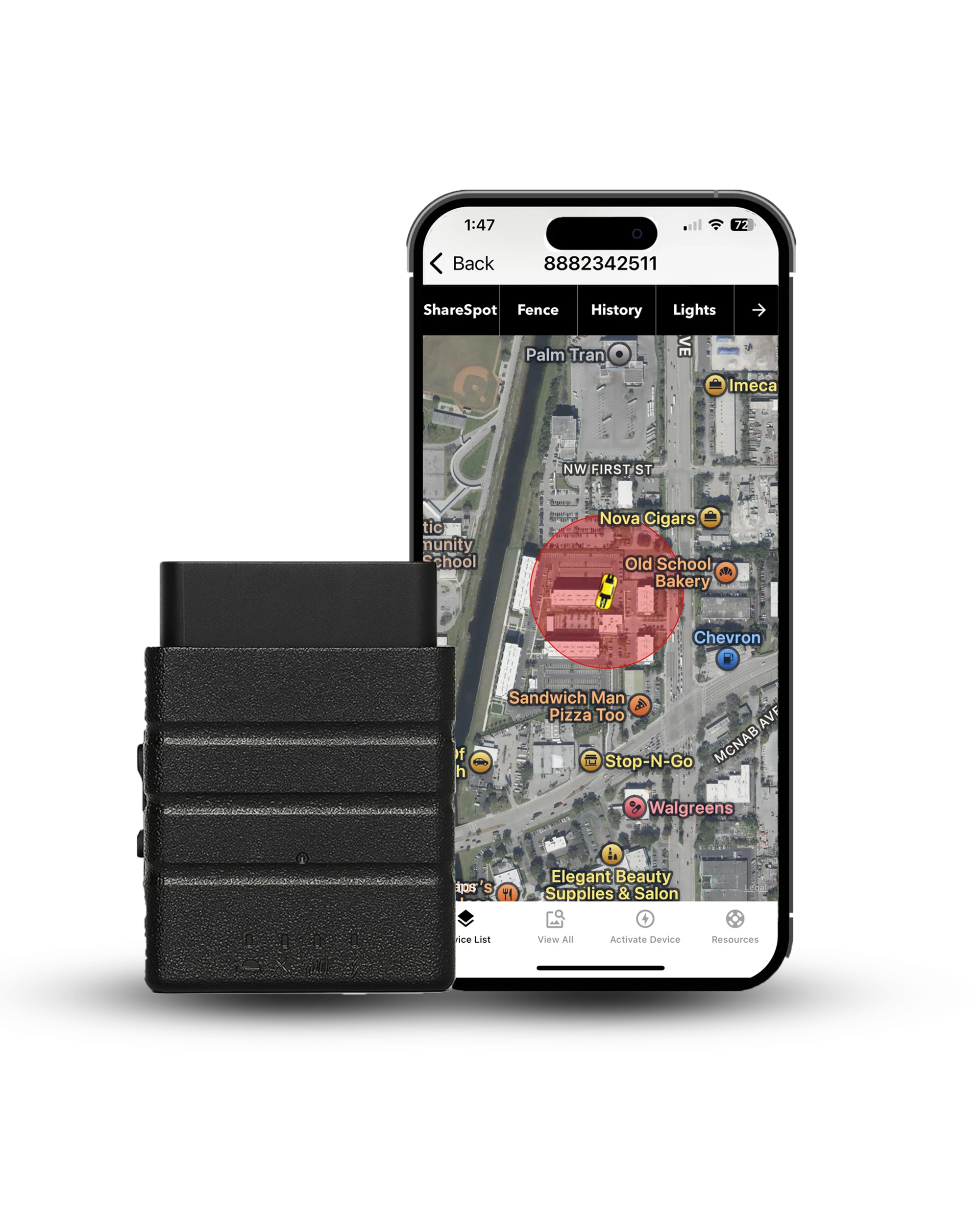
GPS trackers put the port to work. An OBD2 plug-in tracker sends location updates to your phone, helps recover stolen cars, and tracks teen drivers or fleet vehicles. Heavy equipment often lacks an OBD2 port, so it needs a magnetic or hardwired tracker.

- Updates every 3 seconds: where most trackers manage once a minute.
- Speed, geofence and tamper alerts: come standard on the plan.
- A year of trip history: every drive and stop, kept in the app.
Can You Leave Something Plugged Into The OBD2 Port?
Yes, as long as the device is designed to sleep when the vehicle is parked. Thanks to pin 16, the port keeps supplying power after the engine shuts down. A well-designed tracker can enter a low-power state. A poorly matched device can keep drawing power until your battery says, "Nope."
I've seen similar threads on truck forums where someone says a device was working perfectly, followed by a post about a dead battery a day or two later.

A device can seem to be working perfectly while it sips your battery all night, so pull anything that isn't needed. One more catch. The port takes one device at a time, so adding splitters and multiple devices can create communication issues.
If you ordered an OBD2 device and plan to leave it connected, read the power specifications before installation. Thanks to the constant power supply, the device can remain active even when you're not driving.
RELATED READING Does An OBD GPS Tracker Drain Your Car Battery? Read moreCan An OBD2 Device Cause Problems?
A compatible device should work within the vehicle's electrical and communication limits, but compatibility is still important.
Some vehicles have service information warning about outside equipment interfering with normal diagnostic communication. A GM service bulletin warns that plug-in devices can block the car's own diagnostics.
For a GPS tracker, I prefer a setup that doesn't constantly poll the engine computer. Like Konnect OBD2 GPS skips unnecessary engine-data requests on purpose. The tracker takes power from the port and location from its own GPS hardware chip.
Can Thieves Use The OBD Port To Steal Your Car?
Yes. An accessible OBD2 port can give thieves a way to connect diagnostic equipment to a vehicle's electronic systems. On some vehicles, thieves can use diagnostic equipment to program another key fob or interact with the vehicle's security system.
How long a skilled thief needs to break into a car through the OBD port, according to a Waterbury, Connecticut police sergeant.
Source: WFSB, Waterbury police.

Houston police now urge drivers to fit an OBD port lock, a metal cover that blocks the plug. A steering wheel lock or kill switch adds another layer.
If you're using a plug-in GPS tracker like Konnect, you'll get a tamper alert and location updates every 3 seconds, giving you a better shot at recovering the vehicle. If a thief pulls it out, the little backup battery keeps it going for another 15 minutes or so.
Conclusion: Put Your Car's Diagnostic Port To Work
Your OBD2 port is a small 16-pin connector that gives you access to a surprising amount of vehicle information.
You can retrieve trouble codes, watch live data, support emissions testing and power compatible equipment. Most US cars and light trucks from 1996 onward have one, usually tucked under the driver's side dashboard.
When the light comes on, read the code before you clear anything, because clearing too soon can sink your next emissions test. Leave in only devices that sleep, skip anything that polls the engine all day, and add a port lock if theft worries you.
I've spent plenty of time under dashboards testing these devices. Treat the port right, and that little plug keeps paying you back for years.

Konnect plugs into the port under your dash in seconds and shows your car's location every 3 seconds. You get speed, geofence and tamper alerts, a year of trip history and a lifetime warranty for $39.95 plus $8.95 a month. Cancel anytime.
Free US shipping, 30-day money-back guarantee
As an Amazon Associate, Konnect GPS earns from qualifying purchases.
About the Author

 Buy on Amazon