
How Real-Time GPS Tracking Works: Speed, Delay and Accuracy
-
01
Real-time tracking updates location in short intervals rather than continuous streaming
-
02
Minor delay occurs as data moves through network and servers
-
03
Faster updates improve tracking during theft or live vehicle movement
-
04
Battery trackers lose runtime quickly at high update frequencies
-
05
Trackers store data offline and upload once signal reconnects
How does real-time GPS tracking work? If you're asking, there's probably a reason. I'm Ryan Horban, and I've spent 15+ years testing GPS trackers in real vehicles, not lab demos.
Maybe the dot on your map trails the car, the route jumped after a tunnel, or "real-time" didn't mean what you expected. Nothing is broken. The dot lags. The route fills in late. Both are normal, and both have a simple cause. At 65 mph, even a few seconds of delay means a few hundred feet, and the gap matters most when you're chasing a stolen car.
In this guide, I'll show you how a tracker finds its spot, how that spot reaches your screen, and where the delay comes from. By the end, you'll know what to expect from your tracker, and you'll know when something is really wrong.
What Is Real-Time GPS Tracking?
Real-time GPS tracking uses satellites to find a vehicle's position and a cell network to send that position to your screen every few seconds. Most trackers update somewhere between every 3 and every 60 seconds, so the map is live, but always a little behind.

You hear “real-time” and assume zero delay. You expect the map to move exactly as the vehicle moves. Then you install a tracker, watch the screen, and see a small lag. The lag is only a few seconds, and sometimes more in weak signal areas. So you wonder if the device is faulty. The device is fine.
The confusion usually comes from mixing up three different things:
Those aren't identical. Let me give you a real example. During highway testing at 65 mph, a vehicle travels about 286 feet in three seconds. So every data point on the map covers almost the length of a football field. The tracker is working correctly, and reporting in intervals is simply how it works.
How Real-Time GPS Tracking Works: At a Glance

Before we get into the technical detail, here is the full process from the moment your vehicle starts moving to the moment you see it update on your screen. Five steps, no jargon.
Those five steps make up the full loop: power on, satellites, trilateration, cellular uplink, dashboard update. The rest of this guide shows what happens inside each step, where delays come from, and why certain conditions change what you see on screen.
How GPS Sampling Works Inside the Device

GPS sampling is the process a device uses to capture location data at a set interval, such as every three seconds. During each sampling cycle, the device collects signals from multiple satellite sources, calculates position, and prepares that data for transmission.
The position math is trilateration, the same method you saw in step 3. Three satellites can estimate a position, and four or more make it better. If you want diagrams, our guide to how GPS trilateration works walks through it step by step.
After calculating position, the device also determines speed, direction of travel, and the exact timestamp of the reading. The timestamp matters, because every tracking system uses it to match movement history with real-world travel time.
Startup behavior matters too. When a GPS device powers on for the first time, it performs what's called a cold start. The device downloads satellite data from scratch, which can take 30 to 60 seconds depending on signal strength. Warm starts are much faster. When the device already has recent satellite information, it locks on within a few seconds.
In my field testing across highways and dense downtown blocks, I've seen cold starts take closer to 45 seconds in parking garages, while warm restarts under open sky lock in under five seconds. The difference decides how quickly real-time tracking begins after ignition.
What Latency Means in Real-Time GPS Tracking
Latency in real-time GPS tracking is the delay between a vehicle moving and that movement appearing on your screen. Even with 3-second tracking, a small delay always exists because data moves through several steps before you see it. I've tested this across fleet installs and personal vehicle units, and the delay is predictable once you understand the layers involved.
1. Device processing delay

Working out the position takes milliseconds. Packing it up with speed, heading and a timestamp is nearly instant too in today's receivers. Processing delay is rarely the bottleneck.
2. Cellular network delay (200 ms to 2 seconds typical)

Most of the delay happens here. Once the device calculates position, the cellular modem sends that data to the cloud, and signal strength plays a major role. On strong LTE coverage, I typically see delays under one second. In controlled highway testing using a fleet device on LTE Cat-1, dashboard updates lagged roughly half a second behind live movement.
Now compare that to weak-signal areas. In underground parking garages or rural job sites with limited coverage, delays can stretch closer to two seconds, sometimes slightly more if signal drops and reconnects. When the received signal fluctuates, the device may retry transmitting before the data reaches the server. The difference explains why real-time dashboards feel smoother in urban areas than on rural routes.
3. Server and app rendering delay

After the cloud server receives the positioning data, it processes it inside the tracking system and pushes the update to your dashboard or mobile app. The server step usually adds a few hundred milliseconds, more if the platform is handling large real-time fleet volumes. Small, but real.
Why the map appears slightly behind movement
Because all three layers stack together. Even with the update frequency set to three seconds, add milliseconds for calculating position, up to 2 seconds for cellular transmission, and a fraction of a second for server rendering. The result is a map that trails the vehicle slightly, and at highway speeds that visual gap looks larger because the vehicle covers more ground during signal travel.
At 70 mph a vehicle moves about 103 feet per second, so a one-second delay puts the icon roughly a third of a football field behind the actual position. The system is still accurate. The delay comes from moving data across satellite networks, cellular infrastructure and cloud servers, not from poor GPS accuracy.
The whole delay, step by step
The table below adds the three layers together, so you can see where the time goes.
| Step | What happens | Typical delay | What makes it worse |
|---|---|---|---|
| Device | Works out position, speed, heading and timestamp | Milliseconds | Weak sky view, such as a garage or tunnel |
| Cell network | Sends the data packet through nearby towers | 200 ms to 2 seconds | Weak signal, rural routes, retries |
| Server and app | Processes the packet and pushes it to your screen | Several hundred milliseconds | Heavy fleet volume on the platform |
| Total | All three steps added up | About 0.5 to 2 seconds | Dead zones, where data waits and uploads later |
The update interval sits on top of this. With a 3-second interval, the newest point on your map is at most about 5 seconds behind the vehicle: up to 3 seconds from the interval, plus 0.5 to 2 seconds of delay. If your map stays stuck much longer than that, read why an OBD GPS tracker is not updating its location for the usual causes.
Update frequency is the spec that actually separates trackers. Most report once a minute, which is over a mile of road at highway speed, and no amount of accuracy makes up for a gap that size.
How Cellular Uplink Sends Location Data to the Cloud

Cellular uplink is the process that sends location data from a GPS device to a cloud server using a mobile network. Once the receiver finishes calculating coordinates from satellite signals, the device packages that data into a small packet containing exact location, speed, heading, timestamp and device ID.
The cellular modem then sends that packet through nearby towers. From there the data travels across carrier infrastructure and lands on the tracking system's cloud server, which processes it and updates your dashboard. The whole path, device to tower to cloud, is the uplink.
LTE Cat-1 against Cat-M1
Most GPS tracking devices today use either LTE Cat-1 or LTE Cat-M1. Cat-1 was introduced in 3GPP Release 8 in 2008 and supports up to 10 Mbit/s down and 5 Mbit/s up, which is more bandwidth and lower latency than an IoT-optimized standard needs, and it suits fleet tracking where frequent updates are required. Cat-M1 is optimized for IoT devices, using less power, penetrating buildings better, and working well for battery-powered asset tracking.
In my own testing with vehicle units across urban routes, Cat-1 consistently delivered smoother updates during highway driving. Cat-M1 performed better inside parking structures but occasionally showed slightly longer transmission intervals. Both are reliable. The difference shows up in speed against power efficiency.
What happens in dead zones
No cellular signal means no immediate transmission. When a device enters a tunnel, underground garage or rural dead zone, the satellites keep providing positioning data and the device keeps calculating position. What it cannot do is transmit that information at that moment.
Instead, the tracking system stores the data internally. Once signal reconnects, the device performs a buffered upload, sending all stored location data in sequence to the cloud server. You'll see this as a sudden route fill-in on the map.
During fleet testing, one delivery route passed through a multi-level parking structure. The dashboard froze for about 40 seconds while the vehicle was underground. As soon as the vehicle exited and regained LTE signal, the entire route appeared instantly. No data was lost, just transmitted in bulk.
So when someone says real-time tracking stopped working inside a tunnel, it didn't. The device kept calculating position. The cellular uplink simply had nowhere to send it until coverage returned.

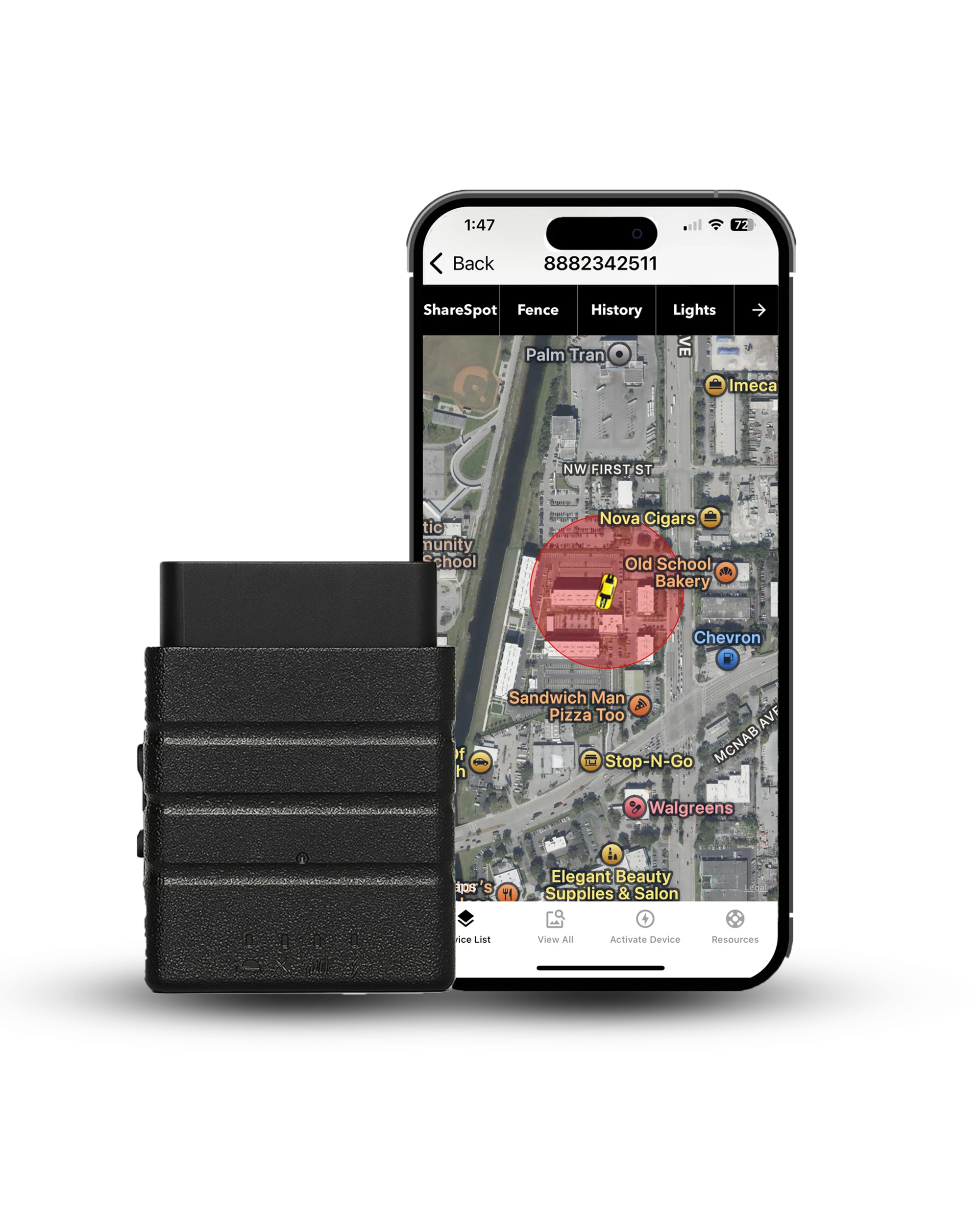
Most trackers on the market report once a minute. At 70 mph that is more than a mile of road between data points. Konnect reports every 3 seconds, which puts roughly 300 feet between them instead.
$39.00 on sale, regularly $99.00
What Affects GPS Accuracy?
Sky view matters most. The more open sky a tracker can see, the closer its position is to the truth.
According to GPS.gov, the US government's official GPS website, the accuracy you actually get depends on things like sky blockage, atmospheric effects, and receiver quality. In plain words, the satellites do their part. What changes your result is what happens to the signal on its way to the tracker.
Four things change the result most:
- Tall buildings. Signals bounce off glass and concrete, so the tracker can place the vehicle slightly off its true spot.
- Tunnels and garages. Roofs block the signal, and the tracker may lose its position fix for a while.
- Trees and weather. Thick leaves and heavy clouds can weaken the signal a little.
- Where the tracker sits. On an OBD2 tracker, the unit sits under the dashboard and sees the sky through the windshield. For most drives that works well, though a unit at the glass can get a slightly clearer view.
None of these change how often the tracker reports. They only change how close each point is to the truth. For a deeper look at the numbers, read our guide to how accurate GPS really is.
Is 3-Second GPS Tracking Truly Real-Time?
3-second GPS tracking is near real-time, but it always includes a slight delay. Even the fastest systems rely on interval-based updates and cellular transmission, which means you're seeing location data that's a few moments behind actual movement.
Interval-based tracking against live streaming

3-second tracking works on intervals. The device calculates position, then transmits location data every three seconds, and each update represents a snapshot in time. Live video streaming works differently, continuously transmitting visual data frame by frame. GPS tracking doesn't stream movement, it sends calculated points at set intervals: the vehicle moves continuously, the device samples location every few seconds, the modem transmits, and the map updates after processing. There's always a tiny gap between movement and display.
Why it feels real during highway driving

At highway speeds, a 3-second update frequency feels responsive because updates arrive quickly relative to travel time. At 70 mph a vehicle covers about 308 feet in three seconds, so you'll see movement jump forward in short steps rather than glide smoothly, though it still tracks accurately.
During fleet testing on interstate routes, the map stayed close enough to live movement that dispatch decisions were easy to make in real time. The delay was visible but small, usually under one to two seconds on strong LTE. In weaker signal areas the movement appeared slightly more staggered. Not broken, just delayed.
Frequency against transmission delay
Many people confuse update frequency with latency. Update frequency is how often the device captures and sends positioning data. Transmission delay is how long that data takes to travel through cellular networks and appear in your tracking system. You can have a 3-second update frequency and still experience a one-second delay from uplink and server processing. Those are separate factors.
So is it real-time? In practical terms, yes. For fleet management, vehicle tracking, asset tracking and teen driver monitoring, a 3-second real-time location is fast enough to respond immediately. From a technical standpoint, there's always a small delay layered into the system.
Real-Time Trackers vs Passive Loggers vs Bluetooth Tags
Plenty of devices say "GPS" on the box and still can't show you a live map. The type of device decides whether you get live updates at all.
| Type | How location reaches you | Update speed | Best for |
|---|---|---|---|
| Real-time | Sends each position over a cell network to a server and your app | Every few seconds to every minute | Theft recovery, fleets, live tracking |
| Passive logger | Stores positions inside the device until you pull the data | Not live, you read it after the trip | Reviewing a route afterward |
| Bluetooth tag | Uses short-range Bluetooth, and nearby phones pass the location along | Only when a phone happens to be near | Keys, bags and wallets |
If you want to follow a vehicle as it moves, you need the first type. Konnect is built that way, with a new position every 3 seconds while the vehicle is moving. The other two work better for reviewing a trip later or finding lost keys.
3-Second Against 10-Second and 30-Second Tracking

Update frequency changes how often a device records and sends location data. At 3 seconds, the device captures movement far more often than at 10 or 30 seconds, and that changes theft recovery, battery life, and how smooth movement looks on your dashboard. I've tested all three intervals across vehicle installs, fleet routes and battery-powered asset units. Each has a clear role, and none is best for every situation.
| Update interval | Best use case | Strength | Trade-off |
|---|---|---|---|
| 3 seconds | Theft recovery, high-value fleet tracking | Tight movement visibility, faster reaction time | Higher data use and power draw |
| 10 seconds | Standard fleet management | Balanced detail and efficiency | Small movement gaps at highway speed |
| 30 seconds | Battery-powered trackers, long-term asset tracking | Extended battery life | Large movement gaps and slower response |
3-second tracking: what you gain and what it costs
- Roughly 300 feet between points at highway speed instead of a mile
- Direction changes show up fast enough to act on
- Geofence crossings register almost immediately
- Uses considerably more data than a 30-second interval
- Cuts battery runtime hard on a self-powered tracker
- Adds nothing on a vehicle that sits parked most of the week
Pick 3 seconds when response time matters most, and a longer interval when battery life does.
Battery Impact of High-Frequency Tracking
High-frequency tracking drains more battery because the device activates its hardware more often. At a 3-second update frequency, the receiver and cellular modem stay active almost nonstop, and every cycle requires the device to lock onto satellites, calculate coordinates, record speed and heading, and transmit through the modem. Repeat that every three seconds instead of every thirty, and power consumption increases quickly.

Hardwired and OBD2 trackers
Hardwired and OBD2 systems pull power directly from the vehicle. The steady supply handles 3-second tracking without strain. In fleet tests using 3-second intervals during daily delivery routes, the devices ran continuously with no performance issues, because constant voltage means a higher update frequency creates no runtime limit. As long as the engine runs, the device runs.
Battery-powered trackers
Battery-powered devices behave differently. During testing of a magnetic asset unit, battery runtime dropped from 17 days at 30-second intervals to just under 6 days at 3-second intervals. Same hardware, same routes, only the update frequency changed. Each transmission activates the modem, and that repeated cycle consumes most of the battery. Reduce the frequency and the modem activates less often, so runtime goes up.
Choosing the right interval
Higher update frequency does not change GPS accuracy. The satellites still provide the same positioning data. The difference is how often the system transmits it. If you're running fleet management or active vehicle tracking where response speed is critical, 3-second tracking makes sense for hardwired systems. If you're tracking equipment on job sites or using passive tracking for long-term monitoring, 10-second or 30-second intervals extend runtime significantly.
Plugged into the OBD2 port, the trade-off disappears. Konnect draws power from the vehicle, so you get 3-second updates without watching a battery percentage.
See the TrackerWhat a Location Tracker Reads, and What It Leaves Out
Worth being precise here, because update frequency and data depth get conflated. Faster intervals give you a tighter picture of where a vehicle went, not a deeper picture of how it was driven. Those are different capabilities coming from different places: position comes from the satellites, while engine data comes from polling the vehicle's ECU.
Konnect is a pure real-time tracker. Position every 3 seconds, speed alerts, geofencing, tamper alerts, and up to a year of trip history. What it does not pull is idle time, harsh-braking scores, or fuel-level analytics, and that is deliberate. Reading that data means polling the ECU continuously, all day, on every vehicle in a fleet, and polling that hard leaves open the potential for electrical issues. If your operation genuinely runs on behavior scoring, a deep-ECU platform is the right tool, and it's worth knowing what that constant polling asks of the vehicles.
When 3-Second Tracking Makes the Most Sense
Real-time tracking works best when response time is critical and movement needs to be monitored closely.
Active theft recovery
When a vehicle is stolen, direction changes happen fast. With a 30-second update interval, half a mile can sit between data points at highway speed, and that gap creates uncertainty during pursuit. With 3-second tracking, movement updates roughly every few hundred feet instead of every few thousand. During theft recovery testing on a simulated highway scenario, route turns appeared fast enough for coordinated response without guessing the next exit. Law enforcement coordination depends on current direction, not on where the vehicle was thirty seconds ago.
Related readingHow to prevent car theft with an OBD GPS trackerHigh-value fleet vehicles

Fleet tracking at 3-second intervals provides tighter route monitoring. Stops, detours and route deviations show up with far more precision when the update frequency is higher, because there is simply less unrecorded ground between points. In fleet testing across delivery routes, shorter intervals made it obvious when a vehicle had stopped somewhere it shouldn't and for how long, which was hard to pin down at 10-second updates. For high-value assets, tighter tracking also reduces exposure if a vehicle leaves its assigned route.
Rental car monitoring

Rental vehicles move between drivers, locations and trip purposes. Higher update frequency improves visibility into unauthorized movement and boundary violations. During testing with a rental tracking system at 3-second intervals, geofence exits registered almost immediately when a vehicle crossed state lines, and shorter intervals reduced ambiguity in liability tracking and travel time verification. When multiple drivers rotate through the same vehicle, tighter monitoring helps clarify responsibility.
Commercial logistics

Delivery operations depend on precise route verification and arrival timing. With 3-second real-time tracking, dispatch teams monitor exact travel progress instead of estimating from wide update gaps. In commercial logistics trials across urban delivery zones, tighter intervals helped confirm stop durations and detect off-route deviations within seconds instead of minutes. At highway speeds even small delays create large visual jumps, so shorter intervals keep route mapping smoother and easier to interpret.
Common Myths About Real-Time GPS Tracking
Real-time GPS tracking sounds simple on the surface, but a lot of assumptions float around that don't match how these systems actually work. I've heard these repeatedly from fleet managers, rental operators, and even new installers. Let's clear them up directly.
Myth 1: 3-second tracking means zero delay

With a 3-second update frequency, the device records and sends location data every three seconds, but that doesn't remove transmission delay. Three layers introduce a small lag: the device calculates position from multiple satellites, the modem transmits through nearby towers, and the cloud server processes and displays the result. Even on strong LTE you may see a one-second gap between actual movement and what appears on screen, and in weaker signal areas that delay increases slightly. Zero delay would require continuous streaming without network limits, and GPS tracking works in intervals, not live video frames.
Myth 2: GPS works without cellular

GPS and cellular serve different roles. Satellites provide positioning data, and the receiver inside the device calculates coordinates from those signals without needing any cellular coverage. Transmitting the result to your dashboard is what requires connectivity. If a vehicle enters a tunnel or underground garage, the device may still calculate position, but without signal it cannot send that information to the cloud, so the data is stored locally and uploaded once coverage returns. GPS works independently. Real-time visibility depends on cellular networks.
Myth 3: more frequent updates mean better accuracy

Update frequency and GPS accuracy are not the same thing. Accuracy depends on satellite signal quality, open sky visibility, and how well the receiver calculates position through trilateration, and under clear conditions civilian systems typically achieve 3 to 5 meters. Increasing update frequency from 30 seconds to 3 seconds does not improve positional precision, it simply reduces the time gap between reported data points. Tighter intervals improve movement visibility. They do not change how precisely position is calculated.
Final Verdict
3-second real-time GPS tracking delivers tight movement visibility with a small, unavoidable delay built into the system: capturing location every three seconds, calculating position from satellite signals, and transmitting through cellular networks before your dashboard displays it.
In real-world testing across highway routes, urban fleet installs and rental vehicle monitoring, a 3-second update frequency provided fast response and clear route history. On strong LTE, dashboard lag stayed close to one second. In weak-signal zones, delays stretched slightly but recovered once the connection stabilized. Unlike live video, it doesn't stream movement continuously, and that difference explains the small visual gap you may notice at higher speeds.
If you're managing high-value fleet vehicles, coordinating theft recovery, monitoring rental cars, or running time-sensitive commercial logistics, 3-second tracking gives you detailed, responsive location data. If you're deploying battery-powered devices for long-term asset tracking, a longer interval may be more practical. The right setting depends on what you need more: rapid visibility or extended runtime.
Related readingPortable, OBD or wired GPS tracker: 2026 buyer's guideMost trackers report once a minute. The Konnect OBD GPS Tracker reports every 3 seconds, plugs into the OBD port in under 30 seconds, and shows live location, routes and speed alerts straight from your dashboard. On sale now at $39.00, down from $99.00.
Get the Konnect OBD TrackerAbout the Author

 Buy on Amazon