
How Does GPS Work Without a Cell Signal or Internet?
Key Takeaways
-
01GPS calculates location directly from satellites.
-
02Internet is not required for GPS positioning.
-
03Cellular service only shares location data.
-
04Offline maps must be downloaded beforehand.
-
05Airplane mode does not disable GPS.
How Does GPS Work Without a Cell Signal or Internet? (Full Explanation)
You have probably pulled out your phone in the middle of nowhere, noticed zero bars, and still watched that blue dot move across the map. That feels like magic, but it isn't. This is one of the most misunderstood things about GPS technology, and once you see how it actually works, everything else about GPS makes more sense.
Affiliate disclosure: This article contains Amazon affiliate links. As an Amazon Associate, GPS Tracker Shop LLC earns from qualifying purchases at no extra cost to you.
I'm Ryan Horban, a GPS tracking expert with more than 15 years of hands-on experience testing vehicle tracking systems for families, fleets, and businesses. The question I hear constantly is some version of this: "Does GPS need the internet?" People ask it after losing service on a road trip, after their tracking app goes blank in a dead zone, or after buying a GPS tracker and wondering what happens when their vehicle drives into the mountains.
In this guide, I'll walk you through exactly how GPS works without a cell signal, what role the internet actually plays, what happens to tracking data when connectivity drops, and what you need to know before relying on any GPS device offline.
GPS does not need the internet or a cell signal to calculate your location. A GPS receiver picks up radio signals from satellites orbiting Earth and uses those signals to calculate where it is. That calculation happens entirely on the device. No data plan, no Wi-Fi, and no cell tower involvement of any kind. What requires a connection is sharing that location in real time, displaying it on a live map, or pushing it to an app on your phone. The location itself is always satellite-derived.

Konnect OBD2 GPS Tracker
World's fastest 3-second real-time car GPS tracker
- Updates every 3 seconds — 20x faster than most trackers
- Plug & Play — Simply plug into your OBD2 port, no tools needed
- Worldwide Tracking — 150+ countries with dependable real-time GPS updates
The Core Difference: Finding Your Location vs. Sharing It

This is the single most important distinction in all of GPS technology, and most people have never heard it explained clearly.
GPS has two completely separate jobs, and they use two completely different systems.
The first job is figuring out where the device is. That is done by the GPS receiver talking directly to satellites. Satellites send down radio signals. The receiver catches those signals, measures how long they took to arrive, calculates distances, and uses those distances to pinpoint a location. This entire process happens in space and on the device itself. No internet. No cell tower. No data plan. Nothing.
The second job is telling someone else where the device is. That is done through a cellular network. The device takes the coordinates it just calculated from the satellites and sends them over 4G or LTE to a server. The app on your phone pulls that location from the server and shows it on a map. This part does need a cell signal.
Most consumer GPS trackers do both jobs at the same time, which is why people assume GPS and cellular are the same thing. They are not. GPS is the receiver. The cell connection is just the messenger.
How GPS Satellites Calculate Your Location Without the Internet

GPS stands for Global Positioning System. The U.S. Space Force operates it, running a network of at least 24 active satellites orbiting Earth at roughly 12,550 miles above the surface. From anywhere on the planet, at least 6 of those satellites are visible above the horizon at any given time.
Each satellite broadcasts a continuous signal that contains two pieces of information: where the satellite is right now, and the exact time the signal was sent.
When that signal reaches your GPS receiver, the receiver notes the time it arrived and compares that to the time it was sent. That difference is the travel time. Since the signal travels at the speed of light, multiplying the travel time by the speed of light gives the receiver an exact distance to that satellite.
Do that calculation for three satellites, and you get three distances. Those three distances describe three overlapping spheres in space. The one point where all three spheres intersect is your location. A fourth satellite adds altitude and removes any small errors from the receiver's internal clock.
What the Internet and Cell Signal Actually Do in GPS Tracking

Now that you understand how location is calculated, it is easier to understand where the internet fits in.
Displaying maps
A GPS receiver knows your coordinates: latitude, longitude, and altitude. What it doesn't know is what road you are on, what city that is, or how to draw a route. That visual layer, the map itself, is downloaded from servers. Without an internet connection, your device can still calculate its position perfectly, just without a rendered map to show for it unless you have downloaded one in advance.
Transmitting location in real time
A vehicle GPS tracker calculates position from satellites and then sends those coordinates to a server over cellular data. That is how the GPS app shows you exactly where your car is at this moment.
Assisted GPS
When a GPS receiver turns on for the first time in a new location, it sometimes takes a few minutes to lock onto satellites. Assisted GPS, called A-GPS, shortens that process by downloading a file over cellular or Wi-Fi that tells the receiver roughly where the satellites are right now. With that help, a lock happens in under five seconds instead of up to several minutes. Without it, GPS still works — the first fix just takes a little longer.
What Happens to GPS Tracking Data When the Cell Signal Drops?

This is the question most vehicle owners, fleet managers, and dispatch teams ask when evaluating a GPS tracking system. The answer is better than most people expect.
The GPS receiver keeps working - When your vehicle drives into a tunnel, a dead zone, or a remote area with no cellular coverage, the GPS chip inside the tracker does not stop. Satellite signals keep coming in, and position keeps calculating exactly as normal. The location calculation never needed the cell signal in the first place.
The tracker stores the data locally - Modern GPS trackers have internal memory that logs location, speed, route, and timestamps automatically whenever cellular transmission is not available. Every position fix gets saved to the device.
The data uploads automatically when coverage returns - The moment the vehicle comes back into cellular range, the tracker sends the stored data to the server. The full trip history, including every point recorded during the dead zone, appears in the app. No data is lost. The gap fills in as a complete, accurate route.
This is why a quality tracker for vehicle monitoring works even on rural routes, in mountain passes, or in areas where coverage is spotty. The GPS never went dark. The cellular connection was just temporarily unavailable for delivery.
Does GPS Work in Airplane Mode?

Yes, and this surprises a lot of people.
Airplane mode turns off the parts of your device that transmit radio signals: cellular, Wi-Fi, and Bluetooth. Those are all transmitters. They send signals out.
GPS is different. A GPS receiver only receives signals, and never transmits anything to the satellites or to any other network. Because it is a passive receiver, like a radio that just listens, it does not need to be switched off in airplane mode.
On most modern iPhones and Android phones, the GPS chip stays fully active in airplane mode. If you have offline maps downloaded in advance, you can navigate normally at 35,000 feet with full airplane mode enabled and still see an accurate position on the map.
The only thing that changes without a data connection is the cold-start time, meaning it may take a few extra seconds to lock onto satellites the first time after turning on, since A-GPS assistance data cannot be downloaded without a network.
GPS vs. Cell Tower Location: Two Very Different Things

A lot of phones and apps use something called cell tower location estimation as a quick, low-power way to roughly place you on a map. This is not GPS, and the two are worlds apart in accuracy.
Cell tower location works by identifying which towers your phone can see and estimating where you are based on their known positions and signal strengths. In a dense city with many nearby towers, this can get within 100 to 300 meters. In rural areas with towers spaced miles apart, the estimate can be off by several miles.
GPS trilateration using satellites routinely delivers accuracy within 3 to 7 meters under normal conditions. Lane-level accuracy.
The tracker uses GPS satellites for all position calculations. The cellular network is only used to transmit those coordinates to the app. The location data itself is always satellite-derived, not estimated from towers.
Offline GPS Navigation: What You Need to Know Before You Go

Understanding that GPS works offline is only half the picture. The other half is the map.
Your GPS receiver can tell you that you are at a specific set of coordinates. Without a downloaded map, those coordinates are just numbers. There is no road drawn around them, no route calculated, no street names visible.
To navigate offline, you need to download maps to your device while you still have a connection. Most major navigation apps support this. Once those maps are on your device, the combination of satellite positioning and locally stored maps gives you full turn-by-turn navigation with zero data usage.
For anyone who regularly drives through areas with spotty coverage, downloading offline maps before leaving is the single most important preparation step. Do it at home on Wi-Fi. Once you drive into a dead zone, it is too late to download.
A few practical points to keep in mind:
Offline maps take up significant storage space, especially for large geographic areas. Download only the regions you actually need.
Downloaded maps do not update automatically. Roads change, new construction happens, and speed limits shift. Re-download maps periodically to keep them current.
GPS accuracy stays the same offline. The satellite calculation is not affected by whether you have a data connection. Your blue dot will be just as accurate. The route around it just depends on which map data is stored on your device.
Real-Time GPS Trackers and Offline Performance

Most people think of GPS tracking as watching a vehicle move across a map in real time. But a GPS tracker does much more than display a moving dot on a screen.
To understand why, it helps to see how real-time GPS tracking works.
The tracker calculates where the vehicle is. The cell connection reports that information to you. When the cell connection goes down, the first job continues without interruption. The second job pauses until coverage returns.
A vehicle leaves a highway and drives into a rural area with no cell coverage. The GPS tracker inside keeps calculating position every few seconds. Each position fix is logged with a timestamp and stored in internal memory. The driver reaches the job site, loads equipment, and drives back to the highway an hour later. The moment coverage returns, the tracker uploads every stored position. The app shows the complete route, including the entire hour in the dead zone, as an unbroken trip history.
When GPS Cannot Work Without the Internet

GPS can calculate location without the internet, but some features require a data connection to function. Live location sharing, real-time alerts, and instant updates depend on cellular or internet access to transmit information between the device, server, and user.
Live location sharing - If someone else needs to see where you are right now, that requires a connection. A GPS receiver that is offline knows where it is, but cannot tell anyone else without a way to transmit.
Real-time alerts - Speed alerts, geofence alerts, and other notifications require a live connection between the tracker and the server. If the vehicle is in a dead zone, those alerts are delayed until coverage returns.
Satellite communicators for remote areas - If you are in an area with no cellular coverage and need to share your location in real time, standard GPS trackers cannot help. Satellite communicators like SPOT or Garmin inReach use dedicated satellite networks for two-way communication and work anywhere on Earth with a clear sky view. These are different devices from GPS trackers, with different pricing, and are designed specifically for off-grid communication.
For most vehicle tracking situations, including fleet management, teen driver monitoring, and personal vehicle security, the cellular dead zones people encounter are temporary. The store-and-forward approach, where data is logged locally and uploaded when coverage returns, handles those gaps without any action needed from the user.
Why GPS Accuracy Stays the Same Offline

One concern people sometimes raise is whether GPS accuracy drops when there is no cell signal. The short answer: accuracy holds steady with or without a connection.
Accuracy is determined entirely by the satellite calculation. The number of satellites visible, the geometry of those satellites across the sky, atmospheric conditions, and the quality of the GPS chip in the device all affect accuracy. None of those factors involves the cellular network.
The only accuracy impact from losing a data connection is the cold-start time. Without A-GPS assistance data, a receiver that has been off for a while may take slightly longer to acquire satellites when it powers on. Once it has a lock, accuracy is identical to what it would be with a full data connection.
Standard GPS delivers accuracy of approximately 3 to 7 meters under normal open-sky conditions. That does not change based on whether you have one bar of service or no bars at all.
Final Verdict
GPS does not need the internet or a cellular signal to determine location. A GPS receiver calculates its position directly from satellite signals, whether you're driving through a remote mountain pass, flying with airplane mode enabled, or navigating far outside cell coverage.
Internet and cellular networks serve different purposes. They download maps, transmit location data to apps, speed up satellite acquisition through Assisted GPS, and deliver alerts in real time. When coverage disappears, a GPS tracker can continue recording location data locally until a connection returns.
For vehicle owners, fleet managers, and families who rely on GPS tracking, the key takeaway is simple: GPS finds the vehicle. Cellular service shares that information with you. Lose the signal, and reporting pauses. The location calculations continue uninterrupted.
Modern GPS trackers use onboard memory to store location history during coverage gaps and upload that data once connectivity returns. As long as the device has a clear view of GPS satellites, location tracking continues even when internet access and cellular service are unavailable.
Sources
- U.S. Space Force. GPS.gov Official Site. gps.gov
- Mapscaping. Does GPS Work Without Internet Access? mapscaping.com
- GIS Geography. GPS Trilateration vs. Triangulation. gisgeography.com
- onX Hunt. Does GPS Work Without Data? A Comprehensive Guide. onxmaps.com
- National Coordination Office for Space-Based Positioning, Navigation, and Timing. GPS Accuracy. gps.gov
- SkyLocation. How GPS Works Without Internet. skylocation.app
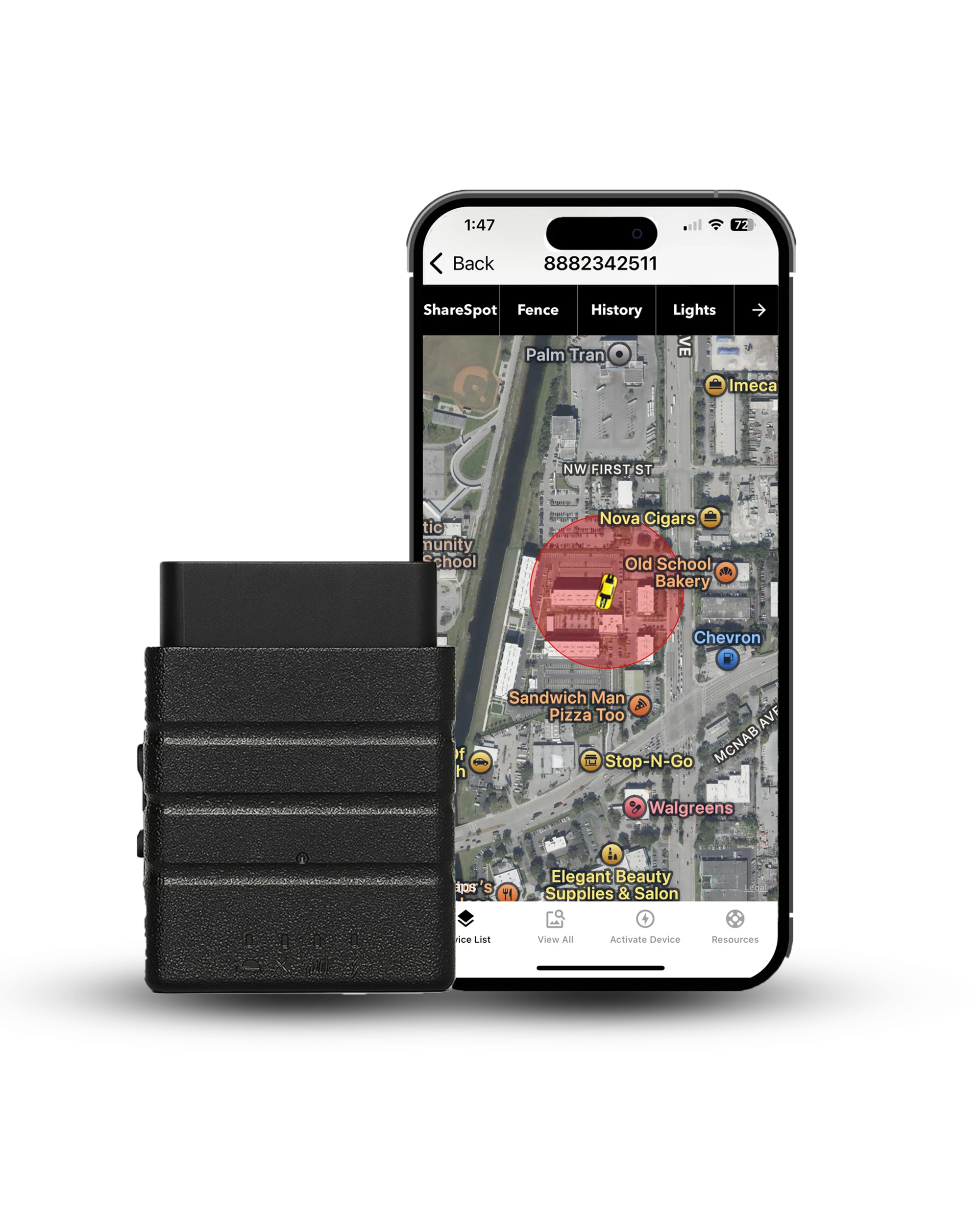
No signal? Your route is still recorded
Konnect OBD2 keeps calculating position from satellites even in dead zones, stores every point in onboard memory, and uploads the full trip the moment coverage returns — 3-second updates, reliable across 150+ countries, with a free first year of service.
About the Author

 Buy on Amazon