
How to Set Up Driver Behavior Alerts for Speeding & Idling
Key Takeaways
-
01
Speed alerts should trigger after a delay to filter brief spikes
-
02
Geofence alerts fire the moment a vehicle enters or leaves a zone you set
-
03
Tamper alerts fire instantly if the tracker gets unplugged from the OBD2 port
-
04
Real-time alerts capture events while reports shape long-term behavior
-
05
Start with key alerts first before adding more monitoring layers
As an Amazon Associate, Konnect GPS earns from qualifying purchases.
How to Set Up Driving Behavior Alerts for Speeding, Harsh Braking & Idling
Hey, glad you're here. If you're trying to make sense of driver behavior alerts and wondering why they either help a lot or drive everyone crazy, you're not alone.
I've set these alerts up in the real world on delivery vans, rental cars, fleets, and a few nervous-parent scenarios. The problem I keep seeing stays the same. Alerts get switched on fast, tuned poorly, and then ignored.
Speeding pings nonstop. Harsh braking fires in parking lots and idling alerts go off where they shouldn't.
This guide fixes that. I'll show you how to set alerts for speeding, hard braking, and idling so they actually reflect real driving, reduce risk, and help drivers improve instead of tune you out.
We'll start simple with a quick setup checklist that gets the basics right before you touch any advanced settings.
A quick note before you dive in
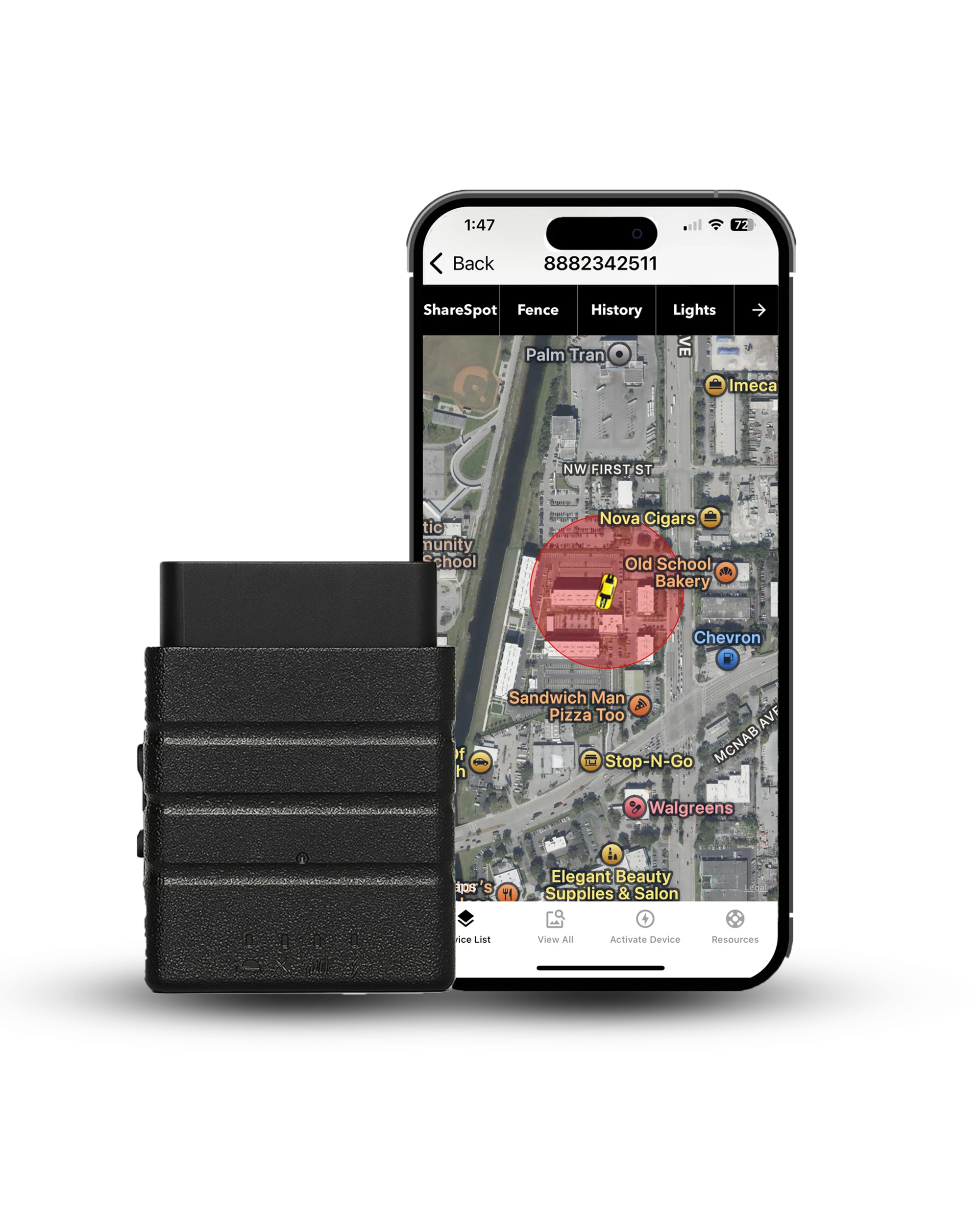
This guide covers how driver behavior alerts work across OBD2 GPS trackers generally, including speeding, harsh braking, and idling. The Konnect OBD2 GPS Tracker supports real-time speed alerts, geofence alerts, and a tamper alert that fires the moment the tracker gets unplugged from the OBD2 port. Konnect does not currently detect harsh braking or idling. The sections on those two are here so you understand how they work industry-wide, whether you're comparing trackers or already using a different device.
Quick Setup Checklist: What Should Driver Behavior Alerts Look Like?
If you want the short version before getting into the details, this is the part I wish more people started with.
| Alert type | Recommended setting | Why it matters |
|---|---|---|
| Speeding | 5 to 10 mph over the limit, held for 30 to 60 seconds | Brief spikes happen on every drive. Sustained speeding is the behavior worth flagging to a driver. |
| Harsh braking | A g-force threshold around -0.35g to -0.45g | Generic sudden-stop rules cannot tell a genuine emergency stop from routine traffic slowing. |
| Idling | 3 to 5 minutes, with yards and loading zones excluded | Vehicles are supposed to sit at a depot. Alerting there only teaches people to mute the app. |
| Notifications | Real-time for safety events, summaries for everything else | Instant pings prevent harm. Weekly summaries are what actually change how someone drives. |
Get these four pieces dialed in first. Once this foundation is solid, refining the rest of your driver behavior alerts becomes a lot easier and far more effective.
What Are Driver Behavior Alerts, Really?
At their core, driver behavior alerts are rules you set inside a GPS solution or telematics system. When a driver crosses a line you've defined, such as excessive speeding, hard braking, rapid acceleration, or long idling, you get notified. Simple idea. The impact depends entirely on how those rules are built.

I've worked with a lot of driver behavior monitoring systems, and they all lean on the same fundamentals. The system is constantly collecting data and checking it against your settings:
- GPS speed and location data to see when a vehicle exceeds the speed limit
- Accelerometer readings to flag real braking and acceleration events, not casual slowdowns
- Engine status data to measure idling time while the vehicle stays put
Threshold
The single number that separates an event from ordinary driving. Everything in this guide comes back to threshold choice: how far over the limit, for how long, at what g-force, after how many minutes. Set a threshold too tight and normal driving looks reckless. Set it too loose and genuine risk slips through unrecorded. Almost every complaint about a monitoring system is really a complaint about one badly chosen number.
One thing I always stress early on: the alerts catch moments, not habits. A single braking event doesn't define a bad driver. Patterns over time do.
Alerts tell you when something happened. Reports and driver behavior data show you why it keeps happening. Mixing those two roles is where most driver behavior monitoring setups start to fall apart.
Who Uses Driving Behavior Alerts, and Why Settings Should Differ
One mistake shows up again and again. People apply the same driver behavior alerts to everyone and expect clean results. Driving monitoring never works that way.
Driving context plays a role. A lot. Driving conditions change by driver, vehicle, and job. What works for one group creates noise for another. With that in mind, here's how different users should think about setup and why the settings shouldn't look the same.

Are you monitoring a teen driver?
For parents, alerts work best as an early-warning system rather than a catch-every-mistake tool. Awareness does the heavy lifting.
I've seen well-meaning parents crank alerts so tight that a slow roll through a school zone triggers warnings all afternoon. That usually leads to frustration on both sides and zero behavior change.
For teens, alerts work best when they focus on:
- Excessive speeding, not brief fluctuations
- Hard braking at higher speeds, where risk actually increases
- Late-night driving windows, when fatigue plays a role
- Repeated risky behaviors, not one-off events
Many parents also use a GPS tracker for teenager driving safety to monitor speeding, curfew driving, and real-time vehicle activity during the first years of independent driving.
If your teen feels nervous behind the wheel, a calm, supportive approach matters just as much as monitoring. See 7 Easy Steps to Teach a Scared Teenager to Drive.
Are you a fleet manager or operations lead?
This is where the stakes rise. In fleet operations, driver behavior monitoring ties directly to fleet safety, maintenance costs, and insurance exposure. Patterns like hard braking and excessive speeding accelerate wear on brakes, tires, and suspension across the fleet.
Alerts here usually support:
- Safety programs tied to company policy
- Driver coaching based on real performance metrics
- Reducing liability exposure after incidents or near-misses
Real-time alerts have value in fleets, but only for serious events. Most behavior change happens through reports and follow-up, not instant notifications.
Do you run delivery, logistics, or rental vehicles?

This category needs a different mindset, and this is where efficiency and safety have to coexist. Delivery routes, rentals, and shared vehicles operate in dense urban environments with frequent stops, more idle time, and variable drivers. Expecting perfect driving behavior in these conditions isn't realistic.
Alert settings should account for:
- High idle time during loading, unloading, or pickups
- Frequent braking and acceleration in city traffic
- Urban routes with changing speed limits
- Fuel efficiency and maintenance impact, not just safety
- Consistency across the fleet, rather than individual perfection
When alerts reflect how drivers actually operate, they support safer driving and smoother fleet operations instead of creating constant friction.
What Do You Need Before You Set Anything Up?
Before you touch a single alert setting, pause for a moment. This step saves more frustration than any dashboard tweak ever will.
I've watched teams blame bad alerts when the real issue showed up much earlier. The system was fine. The setup wasn't ready. Before driving behavior alerts can do their job, a few basics need to be solid.

You'll want to have:
- A GPS tracker or telematics device that actually supports driver behavior data, not just location pings
- Access to the fleet management software or driver app where alerts, reports, and thresholds live
- Reliable real-time data, including speed, braking events, and idling time
- A way to review driver behavior data later through reports or scorecards
- One clear objective you care about most: fleet safety, fuel efficiency, risk reduction, or driver coaching
That last point deserves more attention than it usually gets.
When goals stay vague, alerts turn into noise. Speeding, hard braking and idling all fire at once, and nothing gets acted on. When the goal is clear, the monitoring system suddenly feels focused instead of overwhelming.
Decide what outcome you're aiming for first. Once that's settled, the alert settings start to fall into place naturally.
How Are Driver Behavior Alerts Calculated?
This part trips people up more than they expect. I've seen solid fleets lose trust in their monitoring system simply because no one explained how the data is actually generated.
At a basic level, driving behavior alerts rely on raw inputs collected every second, then compare those numbers against the rules you set. When alerts feel inaccurate, the cause is usually threshold logic, not the idea itself.

How are speeding alerts triggered?
Speeding alerts start with GPS data. Every GPS tracker records vehicle speed and location, then checks that speed against one of two references:
- Posted speed limits pulled from digital map data
- A fixed speed cap you define for a vehicle or group
Map-based limits work well on highways and main roads. Fixed caps tend to perform better in yards, rural areas, or mixed-use routes.
What actually causes a harsh braking alert?
Harsh braking has nothing to do with the brake pedal itself. The system watches accelerometer data, looking for sudden deceleration measured in g-force.
Here's where things get tricky. Potholes, speed bumps, and tight parking maneuvers can look like aggressive stops if thresholds are sloppy. Because of this, cleaner setups filter out low-speed events and focus on braking that happens when momentum is high. When braking alerts feel random, sensitivity is almost always set too high.
How do idling alerts know when a vehicle is idling?

Idling detection combines a few signals instead of relying on a single one:
- Engine-on status from the vehicle or telematics device
- Little to no movement, confirmed by GPS
- A time threshold you define
That combination helps separate real idling from slow rolling in traffic. Still, context plays a role. Loading zones and service yards need exclusions, or alerts quickly lose credibility. Different devices collect and analyze this data with different levels of precision.
In my experience, better telematics hardware produces cleaner driver behavior data and fewer false alerts. Once you understand how alerts are calculated, enabling them inside your dashboard starts to feel a lot less mysterious.
How Do You Enable Driver Behavior Alerts in the Dashboard?
Every platform looks a little different on the surface. But underneath, the workflow is almost always the same, and once you've done it a few times, it feels familiar fast. In most fleet management software or driver apps, alert controls live in predictable places.
You're usually looking for sections labeled something like:
- Safety or fleet safety
- Rules or monitoring rules
- Driver behavior or behavior monitoring
- Notifications or real-time alerts

If you don't see all four, don't worry. Some systems combine them. The goal is to find where the monitoring system lets you define when and how alerts fire. Once you're there, resist the urge to switch everything on.
Start small. Enable only the core driver behaviors first: speeding, harsh braking, and idling time. These three give you the cleanest signal and the most actionable insights early on. They also rely on the most reliable telematics data, which helps build trust in the system.
Acceleration, cornering, distracted driving and dash cam triggers can all wait. I've seen too many setups collapse under their own complexity because someone tried to monitor everything on day one.
Get the basics working. Once the alerts feel accurate and useful, adding more monitoring tools becomes a lot easier and a lot less painful for everyone involved.
How Should You Set Speeding Alerts So They Actually Help?
Speeding alerts create more pushback than almost any other rule when they're tuned poorly.
I've seen good driver behavior monitoring systems lose credibility fast because the alerts fired too often or for the wrong reasons. When speeding alerts work, they focus on sustained behavior, not momentary fluctuations.

From real-world setups, this approach holds up best:
- Trigger alerts 5 to 10 mph over the posted speed limit
- Add a 30 to 60 second delay before the alert fires
- Limit notifications to one alert per speeding event
That delay does a lot of quiet work in the background. Brief downhill surges or passing maneuvers happen. Without a buffer, your inbox fills up and the signal disappears.
Settings should also shift based on who's driving and where. Parents often tighten thresholds during curfew hours or late-night driving windows. Fleet managers usually allow higher limits on highways while keeping stricter rules in city zones or school areas.
Rigid rules rarely survive real roads. Speeding alerts improve driver behavior most when they adapt to driving conditions instead of fighting them.
How Do You Configure Harsh Braking Alerts Without False Positives?
Harsh braking alerts are picky. When they're dialed in right, they flag genuinely risky driving. When they're not, they fire nonstop and everyone stops trusting the system.
I've tuned this setting on everything from fleet trucks to shared vehicles, and one thing stays consistent: threshold quality makes or breaks harsh braking alerts. Most telematics systems perform best when deceleration thresholds sit around -0.35g to -0.45g. That range captures real braking force without mistaking everyday driving for bad behavior.

Where it goes wrong
Setting sensitivity higher than -0.35g so the system flags anything abrupt. Parking maneuvers, speed bumps and rough pavement all start registering as risky driving, the driver gets alerts for stops they made carefully, and within a week nobody is reading the notifications at all.
How to get it right
Ignore braking events below 10 mph where momentum is low, add a cooldown window of 2 to 3 minutes so one hard stop cannot fire four alerts, review braking alongside acceleration rather than on its own, and act on repeat patterns instead of single spikes.
Low-speed environments cause most false positives. Parking lots are the usual culprit. Dense city traffic isn't far behind. When harsh braking alerts respect speed, spacing, and repetition, they turn into one of the most useful pieces of driver behavior monitoring data you can work with.
How Do You Set Idling Alerts to Reduce Fuel Waste?
Idling alerts don't make noise the way speeding alerts do. They quietly drain or save money in the background, depending on how you set them up. I've watched fleets chase safety wins while idling burned fuel all day long. Once idling alerts are tuned properly, the savings show up without changing routes or adding pressure on drivers.

For most fleets and owner-drivers, a practical setup looks like this:
- Set the idle threshold at 3 to 5 minutes. Shorter than that and traffic lights trigger alerts. Longer than that and fuel waste slips through.
- Exclude depots, loading docks, and service yards. Vehicles are supposed to sit there. Flagging those locations only trains people to ignore alerts.
- Use summary reports instead of constant real-time alerts. Idling trends matter more than single events.
Gallons per hour a gasoline engine typically burns while idling. Spread across multiple vehicles, multiple stops and multiple days, that stacks up faster than most fleet managers expect.
Source: commonly published idling fuel-burn estimates for light-duty gasoline engines.
When idling alerts focus on patterns instead of interruptions, they become one of the easiest ways to improve fuel efficiency without changing how drivers operate.
What Happens If Someone Unplugs the Tracker?
This is where Konnect's OBD2 design works in your favor. Because the tracker plugs directly into the vehicle's OBD2 port instead of hiding somewhere on the frame, it can tell the moment that connection breaks and fire a tamper alert straight to your phone.
That matters more than it sounds like on paper. A teen driver who wants to avoid a curfew alert, an employee trying to dodge a speeding notification, or a thief looking to kill tracking before driving off all run into the same obstacle: pulling the tracker triggers the exact notification they were trying to prevent.
A few things worth knowing about how tamper alerts behave in practice:
- The alert fires as soon as the OBD2 connection is broken, not after a delay or the next scheduled check-in
- Tamper detection works independently of speed or geofence rules, so it stays active even if those alerts are turned off
- You get a clear signal to act on immediately, rather than noticing later that the tracker went quiet
For parents monitoring a teen driver or owners protecting a vehicle from theft, this is often the single most useful alert in the whole setup, because it catches the one thing every other alert depends on: the tracker actually staying connected.
Speed alerts, geofence alerts and tamper detection, updating every 3 seconds, with nothing to charge because the tracker draws power from the port.
See the Konnect OBD2 TrackerWhich Alert Delivery Methods Do People Actually Pay Attention To?

This is where psychology takes over from technology.
You can build the cleanest driver behavior alerts in the world, but if they arrive the wrong way, they'll be ignored just as fast. I've watched this play out across fleets of every size. The alerts weren't wrong. The delivery method was.
Different users respond to different signals, and forcing one style on everyone usually backfires. Here's what tends to work in real-world setups:
I've seen fleets cut alert volume in half and still improve driver performance simply by leaning on summaries instead of constant pings. When alerts slow down, trust tends to go up. The rule I stick to is simple: use real-time alerts to prevent harm, and use summaries to change behavior.
If you also want location-based awareness, see how to use geofencing with an OBD GPS tracker, which helps you know when a vehicle enters or leaves key areas automatically.
How Do You Test and Fine-Tune Driver Behavior Alerts?
This step gets skipped more than any other. And it's usually the reason people start complaining about alerts a week later. I always recommend a short, intentional test drive before rolling alerts out to everyone.
Ten minutes now saves dozens of conversations later. During the test, deliberately trigger each rule in a controlled way:
- Exceed the speed threshold briefly, then drop back down
- Perform one firm stop in a safe, open area
- Let the engine idle past the time limit you've set
That covers the basics, but don't stop there. A few extra checks make a big difference:
- Watch how quickly alerts arrive, since too fast or too late both cause confusion
- Confirm alerts trigger once per event, not repeatedly
- Check that locations and timestamps match what actually happened
- Review how the event appears later in reports or scorecards
If something feels off, adjust it now. Once drivers start reacting to alerts, even small timing or sensitivity issues turn into trust problems.
How Accurate Are Driver Behavior Alerts?
They're solid, but they're not flawless. Anyone who's worked with real vehicles for long knows that no monitoring system delivers perfect data every second of the day.

GPS drift happens, especially around tall buildings or dense city streets. Urban canyons interfere with signal accuracy. Sensors also have limits, particularly at low speeds or on rough pavement. I've seen all of it in the field. Because of that, I treat driver behavior alerts as trend indicators, not courtroom evidence.

One speeding alert or a single hard braking event doesn't tell you much on its own. When the same alerts repeat over days or weeks, patterns start to form, and those patterns are what driver behavior monitoring is meant to surface.
A one-off event deserves context. Repeated behavior deserves attention.
Being upfront about this with drivers changes everything. When people understand how the data is collected and where its limits are, trust improves. And once trust is there, alerts stop feeling like surveillance and start functioning as what they're meant to be: tools that support safer driving and better decisions over time.
How Can Reports Improve Driver Behavior Over Time?
Alerts catch moments. Reports change habits.
I've seen this play out over and over. Real-time alerts grab attention in the moment, but reports are what actually reshape driver behavior. They slow things down and replace emotion with perspective.

When you review data weekly instead of reacting instantly, patterns start to surface. The most useful reports usually track:
- Speeding frequency across routes and time windows
- Harsh braking trends, especially when paired with acceleration data
- Idling time by vehicle, not just by driver
That shift from single events to repeated behavior changes the tone of every conversation.
Coaching becomes calmer. Feedback feels fair. And drivers stop arguing about that one time and start recognizing trends themselves.
Fleets that make reporting routine tend to see measurable improvements within a month: fewer risky behaviors, lower fuel waste, better overall fleet safety, not because anyone yelled louder but because the data told a clearer story.
Set fewer alerts than you think you need, then tighten them once you trust the ones you have. More alerts do not make drivers safer, better alerts do.
What Common Mistakes Make Driver Behavior Alerts Useless?

I see the same breakdowns again and again, no matter the fleet size or tracking system. The alerts themselves aren't the problem. The setup choices are.
Here are the mistakes that quietly turn driving behavior alerts into background noise:
- Setting thresholds too tight, which makes normal driving look risky. I've watched drivers get alerts for cautious stops and immediately stop taking the system seriously.
- Skipping cooldown timers, so one hard stop turns into three or four notifications in a row. That's a fast way to get alerts muted.
- Applying the same rules to every vehicle, even though routes, loads, and driving conditions are completely different.
- Not explaining alerts to drivers upfront, leaving them confused about what's being tracked and why. Confusion almost always turns into resistance.
- Turning on too many alert types at once, thinking more data helps when in reality it overwhelms everyone from day one.
- Relying only on real-time alerts without using reports or scorecards later. Behavior changes faster when drivers can see patterns, not just interruptions.
- Ignoring low-speed context, where braking and acceleration look far worse than they actually are in parking lots or tight urban areas.
- Never revisiting alert settings, even after routes change, vehicles rotate, or seasons shift. What worked six months ago rarely stays perfect forever.
Every one of these mistakes is fixable. Most of them come from rushing the setup instead of letting the system grow with your drivers and your operation.
When alerts are dumped on drivers without context, they feel like surveillance instead of support. The goal is to surface risky patterns early and give drivers a fair chance to improve.
Read related: If tracking miles is also part of your setup, see how an OBD GPS tracker can log mileage automatically.
Final Thoughts
If there's one thing I want you to take away from this guide, it's this: driver behavior alerts work best when they're intentional, not aggressive. More alerts don't make drivers safer. But better alerts do.
I've seen these systems succeed when people slow down at the start, set clear goals, and tune alerts to match how vehicles actually operate. Speeding, harsh braking, and idling all tell a story, but only when you look at them in context, over time, and with the right thresholds in place. That's when alerts stop feeling like noise and start delivering real value.
Once you get the basics right, the rest becomes easier. Reports make conversations calmer. Coaching feels fair. Drivers understand what's being tracked and why. And as trust builds, behavior improves almost naturally.
Set fewer alerts. Review them regularly and adjust when conditions change.
Do that, and driver behavior alerts turn into one of the most practical tools you have for improving safety, reducing costs, and running a smoother operation without burning out the people behind the wheel.
For added protection, see how an OBD GPS tracker can help prevent car theft with real-time tracking and alerts.
Tell drivers the alerts are there
Everything on this page assumes the vehicle is yours or your company's. For company vehicles, several states require advance written notice before you monitor a driver, so build that into the policy rather than the rollout. Placing a tracker on a car you do not own, or monitoring another adult without their agreement, is a crime in several states.
With a teen driver, telling them the alerts exist is also what makes the system work. A tracker they know about changes how they drive. A tracker they discover changes how they feel about you.
This page is general information rather than legal advice. Rules vary by state, so speak with an attorney about your own situation.

Speed alerts, geofences and tamper detection, working from day one
The Konnect OBD2 GPS Tracker updates every 3 seconds, plugs in under the dash in about ten seconds, and never needs charging. $39.95 with an $8.95 unlimited plan, or $199 once with no monthly fee at all.
About the Author

 Buy on Amazon